Monitor
Alienware AW2521HF
5 pro players use this monitor
See also: CS2 tools, build your crosshair, pro settings, lineups, guides, maps, console commands, pro crosshair codes.
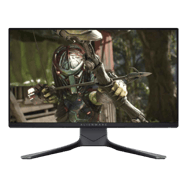
Alienware AW2521HF
5 pro players use this monitor
About the Alienware AW2521HF
A gaming monitor used by professional CS2 players. Competitive monitors feature high refresh rates (240Hz–540Hz), fast panel response times, and low input lag to display frames as quickly as possible.
Why Pros Use It in CS2
High refresh rate monitors are essential for competitive CS2. More frames per second mean smoother motion, easier target tracking, and lower input lag. Most pros use at least 240Hz, with 360Hz and 540Hz becoming standard at top events. Monitor choice directly impacts how clearly you can see and react to fast-moving targets.
Compare it with the rest of the pro player gear database, or see which pro players run it. To copy their setup, start with the sensitivity converter and the pro crosshair codes.
Teams Using the Alienware AW2521HF
2 teams have players using this monitor.
All Players Using the Alienware AW2521HF

🇭🇺 Aaron
CSGO-OSA44-tTnjU-eqjEC-YQiOZ-pzJzN
🇵🇱 ANeraX
CSGO-6Dnif-Ua2RX-DvmCw-sDYPi-pL3ED
🇲🇪 Cjoffo
CSGO-TuV56-snRaf-pT7bV-2RPcf-WROpP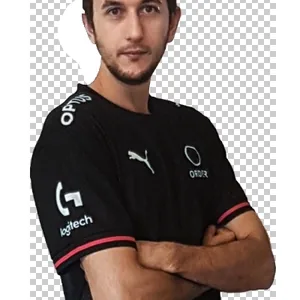
🇦🇺 Rickeh
CSGO-fPbFr-qyr4b-oCreH-wEAGU-O2hCG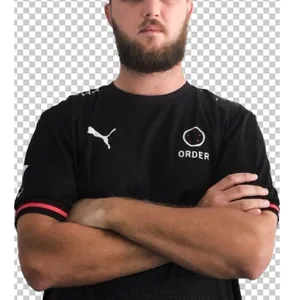
🇦🇺 USTILO
CSGO-RrTje-Woo4N-h4Ffp-POw9z-DLpYFSettings Comparison Table
| Player | Team | Role | DPI | Sens | eDPI | Resolution | Aspect | Display | Refresh | Crosshair Code |
|---|---|---|---|---|---|---|---|---|---|---|
| 🇭🇺 Aaron | Dynamo Eclot | IGL | 400 | 1.7 | 680 | 1920x1080 | 16:9 | Native | 240Hz | CSGO-OSA44-tTnjU-eqjEC-YQiOZ-pzJzN |
| 🇵🇱 ANeraX | Free Agent | Rifler | 800 | 0.92 | 736 | 1920x1080 | 16:9 | Native | 240Hz | CSGO-6Dnif-Ua2RX-DvmCw-sDYPi-pL3ED |
| 🇲🇪 Cjoffo | Zero Tenacity | Rifler | 400 | 1.52 | 608 | 1280x960 | 4:3 | Stretched | 240Hz | CSGO-TuV56-snRaf-pT7bV-2RPcf-WROpP |
| 🇦🇺 Rickeh | Retired | Rifler | 800 | 1 | 800 | 1680x1050 | 16:10 | Black Bars | 240Hz | CSGO-fPbFr-qyr4b-oCreH-wEAGU-O2hCG |
| 🇦🇺 USTILO | Retired | Rifler | 800 | 1.2 | 960 | 1280x960 | 4:3 | Stretched | 240Hz | CSGO-RrTje-Woo4N-h4Ffp-POw9z-DLpYF |
Role Breakdown
Distribution of player roles among Alienware AW2521HF users.
Other Popular Monitors
Frequently Asked Questions
- How many CS2 pros use the Alienware AW2521HF?
- 5 professional CS2 players in our database currently use the Alienware AW2521HF. This makes it a notable monitor choices among the competitive scene.
- What settings do Alienware AW2521HF users prefer?
- Pro players using the Alienware AW2521HF average 240Hz refresh rate with an average eDPI of 757. The high refresh rate provides smoother visuals and reduced input lag for competitive play.
- Is the Alienware AW2521HF good for competitive CS2?
- With 5 professional players using it, the Alienware AW2521HF is a proven choice at the highest level of CS2. Teams like Dynamo Eclot, Zero Tenacity have players using this monitor. However, personal comfort and preference are the most important factors when choosing gear.
Related
Teams using it
- Dynamo Eclot1 player
- Zero Tenacity1 player
Similar gear
- ZOWIE XL2566K257 pros
- ZOWIE XL2546K255 pros
- ZOWIE XL2546100 pros
- ZOWIE XL2586X+91 pros
- ZOWIE XL2566X+66 pros