
🇹🇷 Rip
Berk Tepe
480eDPI
1280x9604:3 Stretched
87cmcm/360°
1000HzRefresh Rate
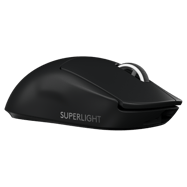
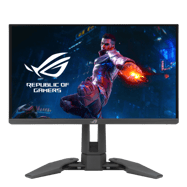
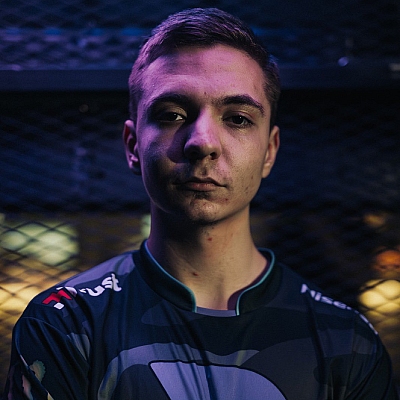
Rip is a professional CS2 rifler currently playing for Fire Flux Esports from Turkey. Rip plays with a low sensitivity setup at 480 eDPI (800 DPI × 0.6 sens), which is below the pro average of 844. Rip uses 1280x960 resolution (4:3 Stretched) on a ASUS PG248QP, paired with a Logitech G Pro X Superlight Black.
Mouse & Sensitivity Settings
Sensitivity
DPI800
In-Game Sensitivity0.6
eDPI480
Zoom Sensitivity1
Polling Rate1000Hz
cm/360°87cm
480
Avg 844
LowMediumHigh
Mouse & Mousepad
MouseLogitech G Pro X Superlight Black
Mousepad
Crosshair Settings
Rip's Crosshair
Try in Crosshair Generator → Not available StyleClassic Static
ColorYellow
Size2
Thickness0
Gap-2
DotNo
OutlineNo
Advanced Crosshair Settings
Follow RecoilNo
T-StyleNo
Red0
Green255
Blue255
Use AlphaYes
Alpha255
Outline Thickness1
Deployed Weapon GapNo
Split Distance3
Fixed Gap3
Outer Split Alpha1
Split Size Ratio1
Sniper Width1
Video & Display Settings
Display
Resolution1280x960
Aspect Ratio4:3
Scaling ModeStretched
Refresh Rate1000Hz
MonitorASUS PG248QP
Display ModeFullscreen
Brightness103%
Boost Player ContrastDisabled
V-SyncDisabled
NVIDIA ReflexDisabled
Advanced Video
Anti-Aliasing2x MSAA
Shadow QualityHigh
Texture DetailMedium
Texture FilteringAnisotropic 2x
Shader DetailLow
Particle DetailLow
Ambient OcclusionDisabled
HDRQuality
FidelityFXDisabled (Highest Quality)
Viewmodel Settings
Viewmodel
viewmodel_fov68
viewmodel_offset_x2.5
viewmodel_offset_y2
viewmodel_offset_z-2
Console Commands
viewmodel_fov 68; viewmodel_offset_x 2.5; viewmodel_offset_y 2; viewmodel_offset_z -2 Radar & HUD Settings
HUD
HUD Scale1
HUD ColorWhite
Config & Download
Download Rip's complete CS2 config as an autoexec file, or copy all console commands at once.
autoexec.cfg preview
// Rip's CS2 Config — Generated by CSDB.gg
// https://csdb.gg/player/rip/

// Sensitivity
sensitivity "0.6"
zoom_sensitivity_ratio_mouse "1"

// Crosshair
cl_crosshairstyle "4"
cl_crosshairsize "2"
cl_crosshairgap "-1"
cl_crosshairthickness "1"
cl_crosshairdot "0"
cl_crosshair_drawoutline "0"

// Viewmodel
viewmodel_fov "68"
viewmodel_offset_x "2.5"
viewmodel_offset_y "2"
viewmodel_offset_z "-2"
Full Gear & Peripherals
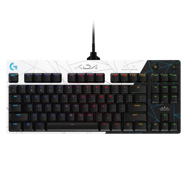

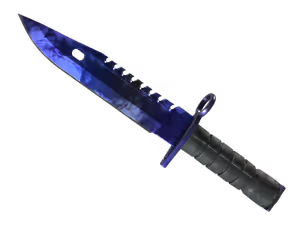
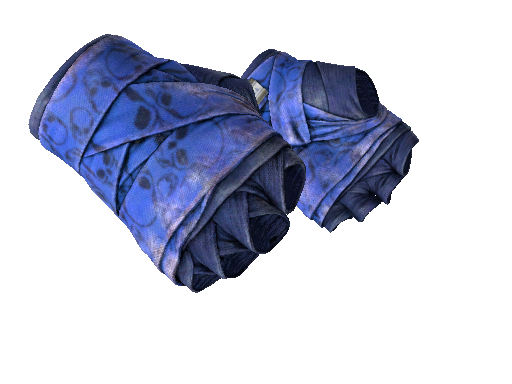
Rip's Weapon Skins
PC Specs
GPU RTX 3080
Performance Stats
Live stats from professional matches, powered by PandaScore.
Loading performance data…
Recent Matches
Recent match results for this player's team.
Loading match history…
Players With Similar Settings


Frequently Asked Questions
- What sensitivity does Rip use in CS2?
- Rip uses 800 DPI with 0.6 in-game sensitivity, resulting in 480 eDPI. This translates to approximately 87 cm per 360-degree turn. This is below the pro average of 844 eDPI, suggesting a preference for precision over speed.
- What mouse does Rip use?
- Rip currently uses the Logitech G Pro X Superlight Black at 800 DPI with a 1000Hz polling rate, paired with a mousepad.
- What resolution does Rip play on?
- Rip plays on 1280x960 (4:3) with Stretched display mode at 1000Hz on a ASUS PG248QP.
- What is Rip's crosshair code?
- Rip's crosshair code is not currently available. Check back later as we regularly update player settings.