
🇷🇺 jmqa
Savely Bragin
1080eDPI
1920x108016:9 Native
38cmcm/360°
1000HzRefresh Rate
jmqa is a professional CS2 awper from Russia. jmqa plays with a high sensitivity setup at 1080 eDPI (800 DPI × 1.35 sens), which is above the pro average of 844. jmqa uses 1920x1080 resolution (16:9 Native) on a ASUS TUF VG259QM, paired with a Lamzu Maya X Black.
Mouse & Sensitivity Settings
Sensitivity
DPI800
In-Game Sensitivity1.35
eDPI1080
Zoom Sensitivity1
Polling Rate1000Hz
cm/360°38cm
1080
Avg 844
LowMediumHigh
Mouse & Mousepad
MouseLamzu Maya X Black
MousepadZOWIE G-SR
Crosshair Settings
jmqa's Crosshair
Try in Crosshair Generator → Not available StyleClassic Static
ColorCyan
Size1.5
Thickness1
Gap-3
DotNo
OutlineNo
Advanced Crosshair Settings
Follow RecoilNo
T-StyleNo
Red0
Green255
Blue0
Use AlphaYes
Alpha255
Outline Thickness1
Deployed Weapon GapNo
Split Distance3
Fixed Gap3
Inner Split Alpha0
Outer Split Alpha1
Split Size Ratio1
Sniper Width1
Video & Display Settings
Display
Resolution1920x1080
Aspect Ratio16:9
Scaling ModeNative
Refresh Rate1000Hz
MonitorASUS TUF VG259QM
Display ModeFullscreen
Brightness130%
Advanced Video
Viewmodel & Bob Settings
Viewmodel
viewmodel_fov64
viewmodel_offset_x2
viewmodel_offset_y2
viewmodel_offset_z-2
Console Commands
viewmodel_fov 64; viewmodel_offset_x 2; viewmodel_offset_y 2; viewmodel_offset_z -2 Weapon Bob
cl_bob_lower_amt21
cl_bobamt_lat0.4
cl_bobamt_vert0.25
cl_bobcycle0.98
Config & Download
Download jmqa's complete CS2 config as an autoexec file, or copy all console commands at once.
autoexec.cfg preview
// jmqa's CS2 Config — Generated by CSDB.gg
// https://csdb.gg/player/jmqa/

// Sensitivity
sensitivity "1.35"
zoom_sensitivity_ratio_mouse "1"

// Crosshair
cl_crosshairstyle "4"
cl_crosshairsize "2"
cl_crosshairgap "-1"
cl_crosshairthickness "1"
cl_crosshairdot "0"
cl_crosshair_drawoutline "0"

// Viewmodel
viewmodel_fov "64"
viewmodel_offset_x "2"
viewmodel_offset_y "2"
viewmodel_offset_z "-2"

// Launch Options: -tickrate 128 -freq 240 +rate 786432 +cl_updaterate 128 +cl_cmdrate 128 +cl_interp 1 +cl_interp_ratio 2 +fps_max 999 -novid -console
Full Gear & Peripherals
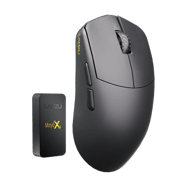
Mouse Lamzu Maya X Black
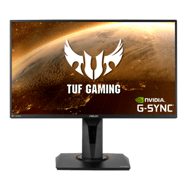
Monitor ASUS TUF VG259QM

Keyboard HyperX Alloy FPS
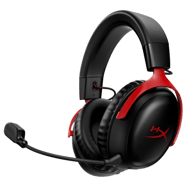
Headset HyperX Cloud III Wireless
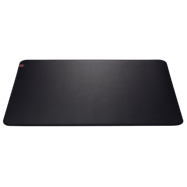
Mousepad ZOWIE G-SR
PC Specs
GPU RTX 2080 Super
Launch Options
-tickrate 128 -freq 240 +rate 786432 +cl_updaterate 128 +cl_cmdrate 128 +cl_interp 1 +cl_interp_ratio 2 +fps_max 999 -novid -console Performance Stats
Live stats from professional matches, powered by PandaScore.
Loading performance data…
Recent Matches
Recent match results for this player's team.
Loading match history…
Players With Similar Settings


Frequently Asked Questions
- What sensitivity does jmqa use in CS2?
- jmqa uses 800 DPI with 1.35 in-game sensitivity, resulting in 1080 eDPI. This translates to approximately 38 cm per 360-degree turn. This is above the pro average of 844 eDPI, suggesting a preference for faster target acquisition.
- What mouse does jmqa use?
- jmqa currently uses the Lamzu Maya X Black at 800 DPI with a 1000Hz polling rate, paired with a ZOWIE G-SR mousepad.
- What resolution does jmqa play on?
- jmqa plays on 1920x1080 (16:9) with Native display mode at 1000Hz on a ASUS TUF VG259QM.
- What is jmqa's crosshair code?
- jmqa's crosshair code is not currently available. Check back later as we regularly update player settings.